Overview
Users spent significant time manually entering records into the system. While bulk import was the obvious solution, spreadsheet formats varied widely—users created their own files or received them from partners with different column names, units, and structures.
Existing solutions required users to reformat their data, introducing friction and errors. The core challenge wasn’t enabling imports—it was handling inconsistent data without forcing users to change their workflows.
Solution
We designed a flexible import experience that adapts to a wide range of spreadsheet formats rather than requiring standardization upfront.
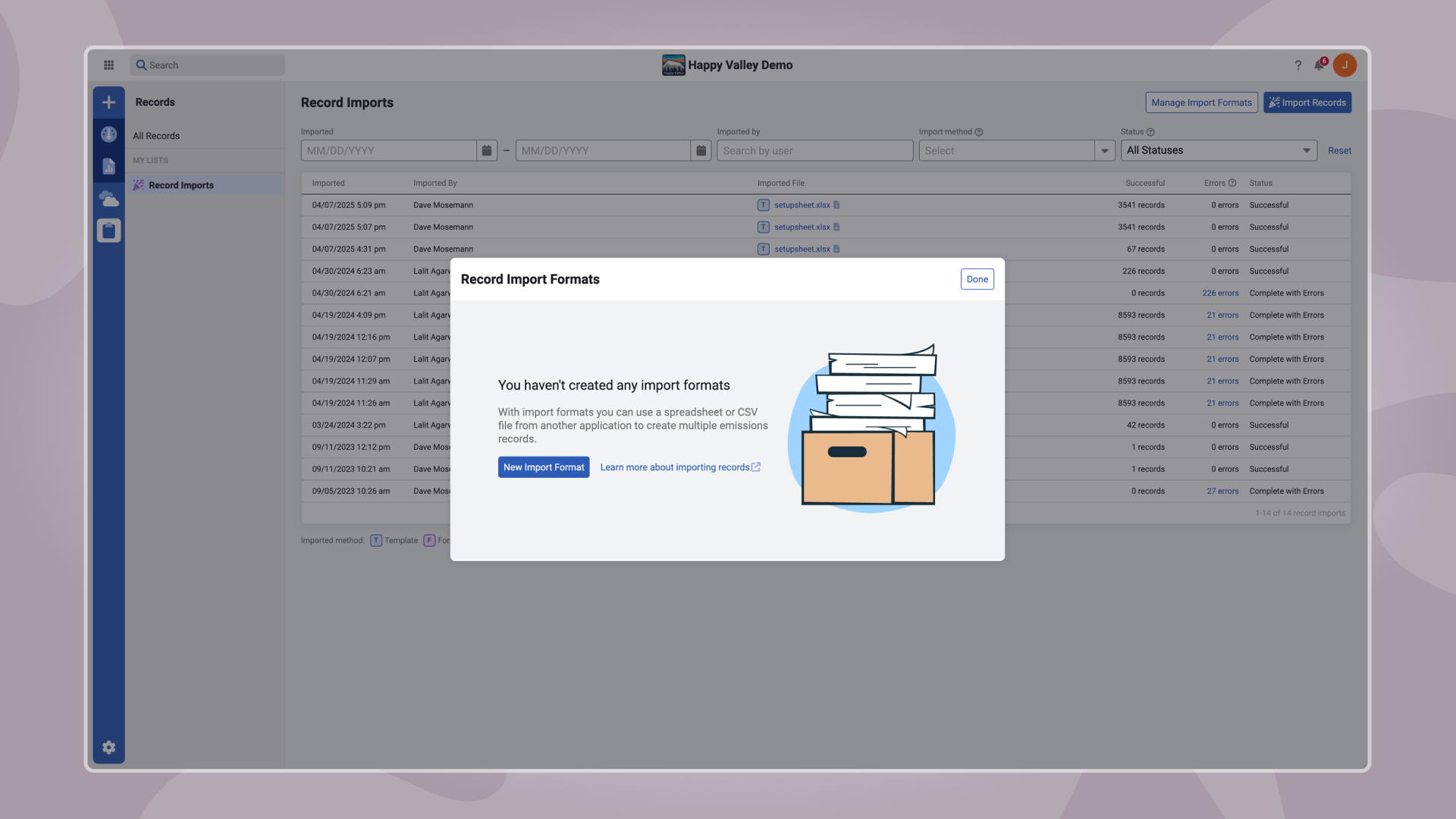
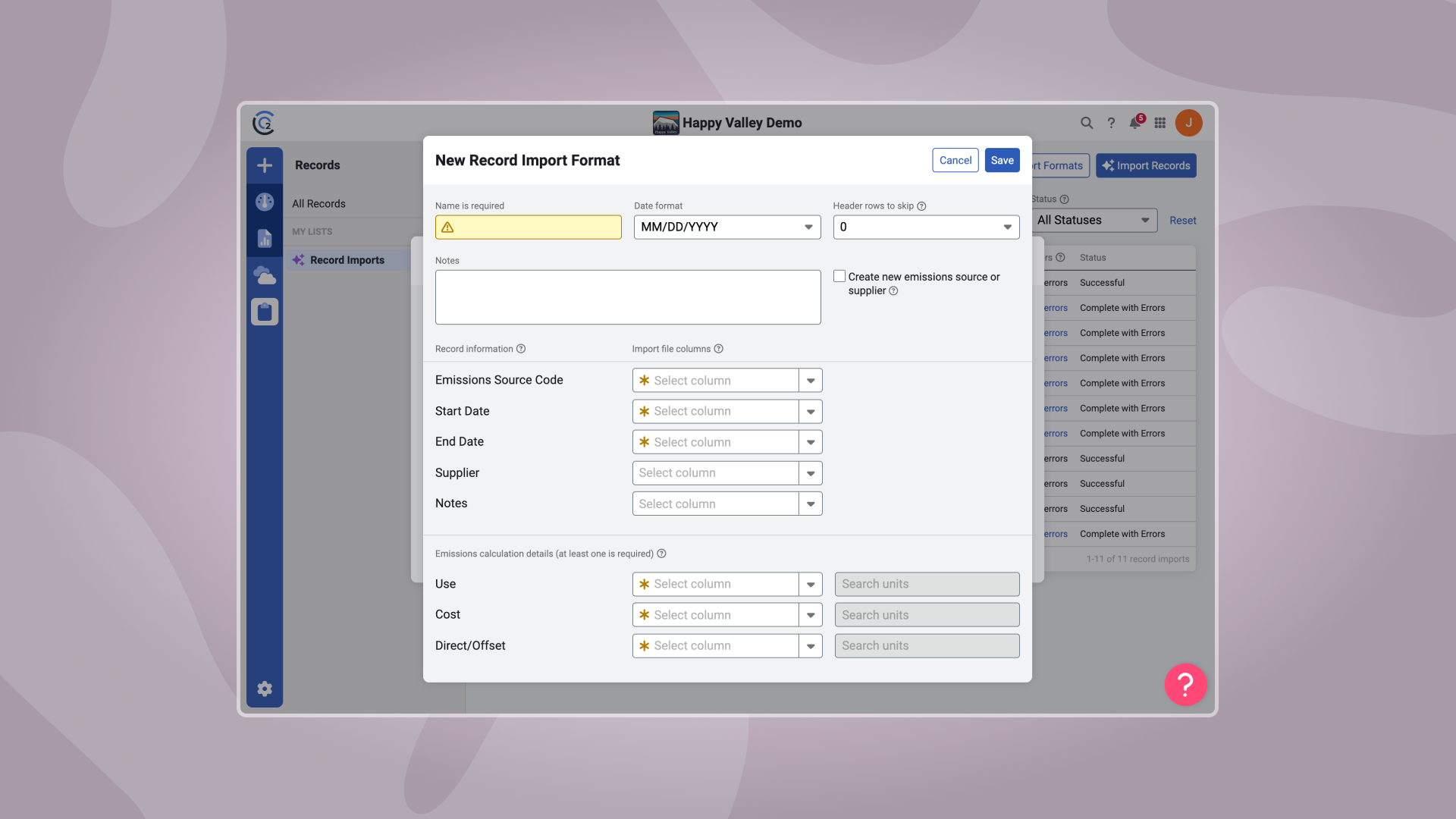
The solution introduced a mapping flow where users could upload any spreadsheet, match their columns to system fields, and save those mappings as reusable Import Formats. This allowed users to maintain multiple formats for different partners without repeated rework.
To support transparency and control, we added:
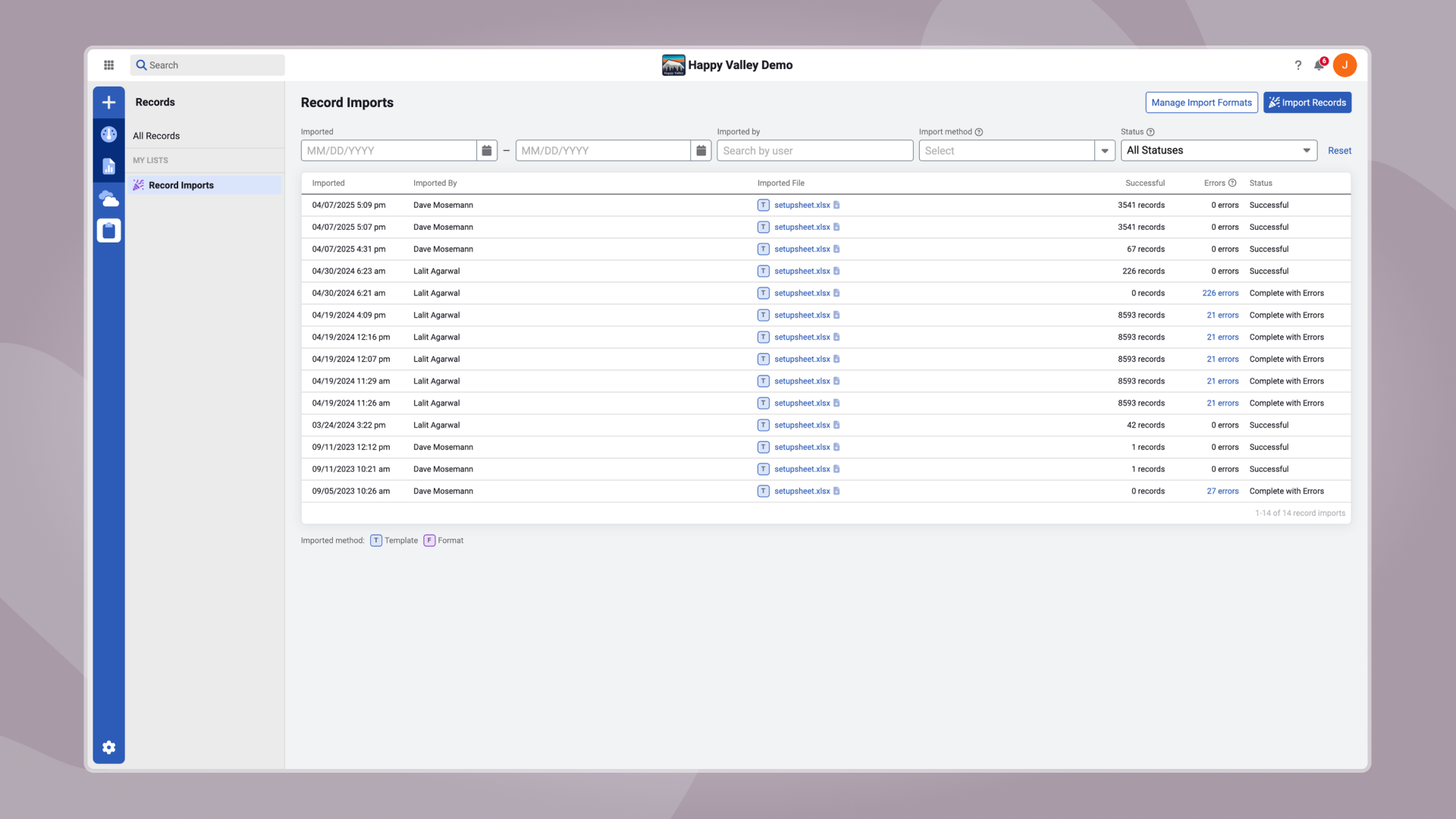
Import logs to track uploads and identify issues
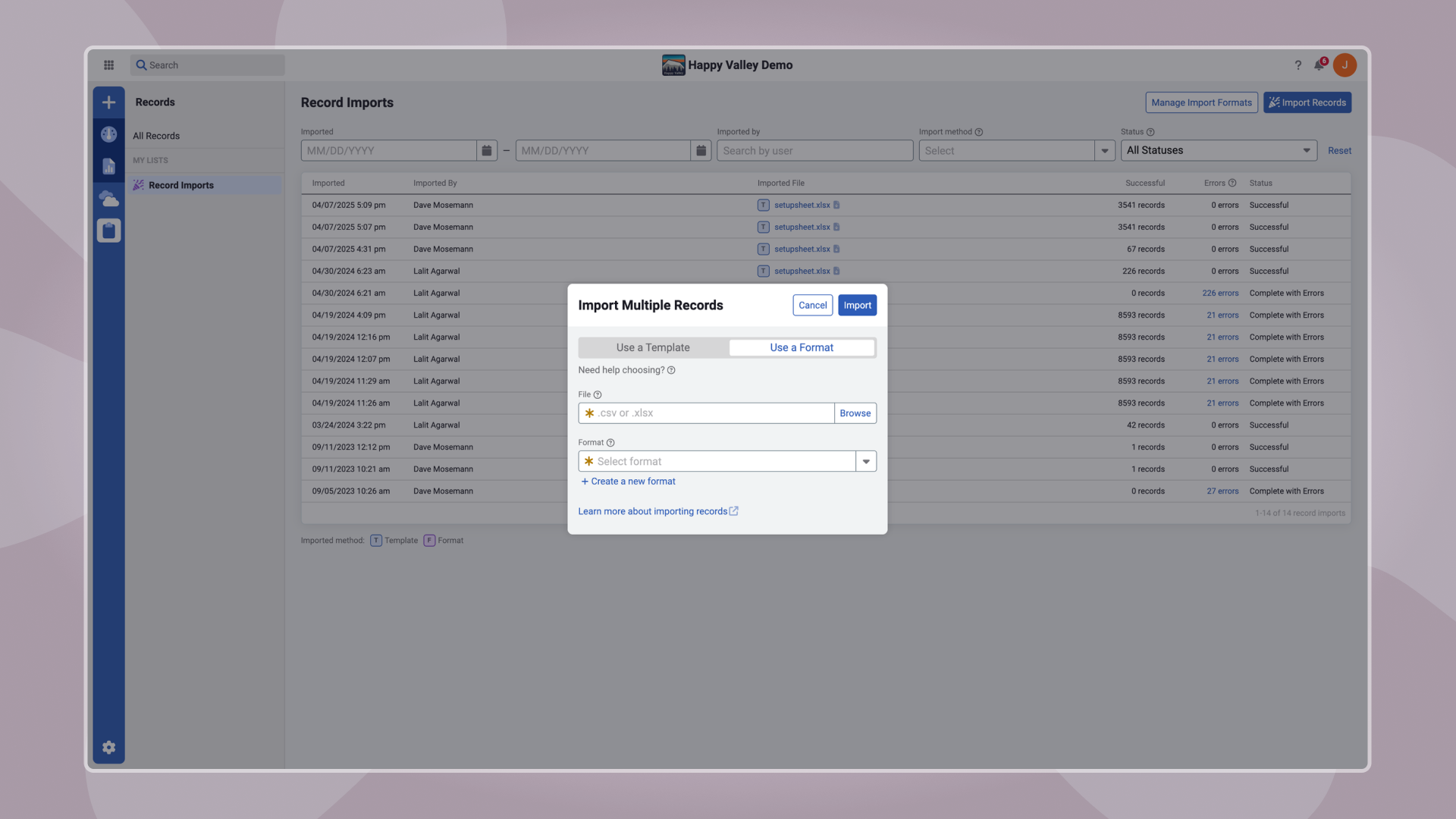
Format switching to easily move between the standard template and saved mappings
Impact
Reduced time spent on manual data entry and spreadsheet reformatting
Decreased import errors caused by mismatched formats
Enabled users to manage multiple partner-specific formats with minimal overhead
Improved overall efficiency and trust in the import process